So, I've been playing around with couple of vibe coding tools - Manus, Lovable, Databutton - to test out how powerful they actually already are, and what can be build with them.
Sure, there are ton of use cases out there, but in the last couple of months I've come to conclusion that building prototypes and mvps is the best use for these type of tools at the moment.
Sure, you can go and try to built more complex apps and tools, but I've found out that its almost impossible to maintain, upgrade and customise them later.
I wont say it cant be done, but this is still the biggest issue I'd say with these tools.
But, the gap is closing and if at the moment these tools are comparable to junior web dev, in next couple of months they'll surely be at least at the medium level developer capabilities.
Enough about the tools, lets talk about the experiment.
I used Manus to build this app.
Why I even built it?
Well, we all know that the best ideas are born away from your work station and office.
Ideas are so hard to force, so the best ones pop into our heads when we least expect.
On the walk, in the gym, on the morning commute to work ... you get the idea.
And the only constant in these types of situations are our mobile phones.
And there is where I was collecting my ideas and so far.
This is how my process of saving ideas so I wont forget about them went until I built this app:
- I'd go on a walk with my goldy Gin,
- after a 30 min walk, the idea tornado kicks in
- i open my voice memo app on my iphone and record them
- i return back from my walk and my wife or daughter needs something from me, so I cant immediately go and edit and store my idea,
- therefore I forget about them
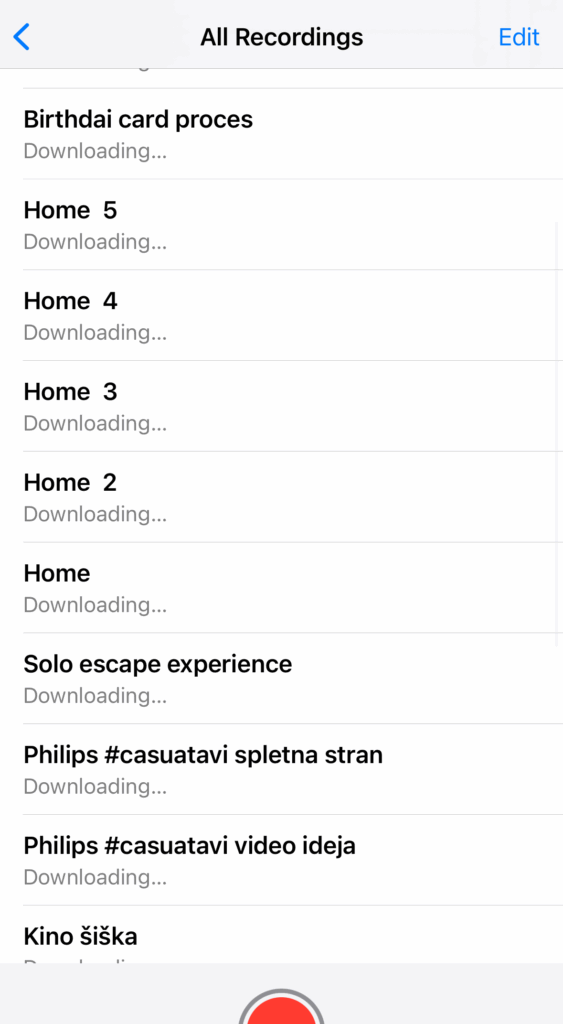
This is how my Vocie Memos list looks like, and I almost never return to it and update/edit them.
But there is one app that I renturn to daily, since its our corner stone communication app in my team.
That is Discord.
I wont go into details of how much I love Discord and why we switched our whole company from Slack to Discord, but this is the app I use daily.
So that is where my recording should be stored.
That is the place I'll be returng to daily.
And that is where the idea came from.
- Simple app - just one big record button
- Save the recording, use AI to transcribe it in the back-end
- Push the transcript to designated #channel on my Discord
- save all recording and transcriptions in the app as well
And here is how it turned out.
Here is the app interface with simple big ass record button.
After the voice recording is done:
- the AI in the background creates the correct sound format,
- uses openAI TTS API to transcribe the recording,
- and with simple webhook pushes the recorind into defined Discord channel
And thats it.
And now whenever I get the idea on my walks, I just hit record, and when I get back home, I have it transcribed inn my Discord.
So this type of mini or micro apps are the best way to use these prompt programming or vibe coding tools at the moment.
But I'm very much open for discussion and examples of more adavanced tools if you have them