There were two key reasons I decided to create this app.
First, I wanted to challenge myself. I’m not a developer by trade, so the idea of building something functional with prompt programming was exciting.
Could I really create an app without traditional coding knowledge?
That was the experiment.
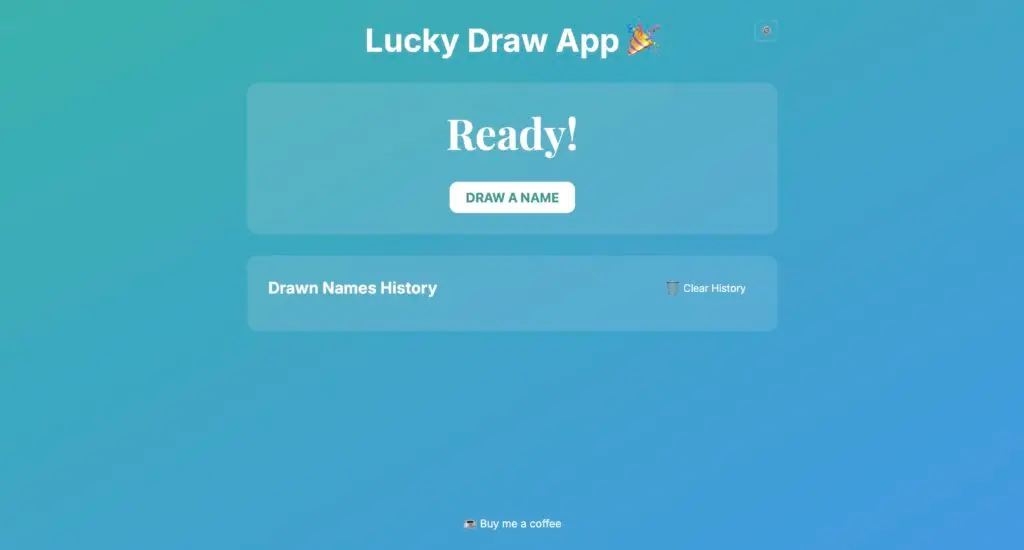
Second, I wanted something practical—a simple drawing app.
My family and I could use it at home or work for fun activities or during chores time.
Who draws the short straw? Who’s doing the dishes tonight? Who’s the one going for new batch of ice cream?
This app would answer those questions with a quick draw!
What is Promptgramming – Prompt Programming?
Prompt programming refers to the method of creating applications or solutions using natural language commands or prompts, often through tools like ChatGPT, which interpret and transform those prompts into executable code.
The concept behind it is that even someone with no coding background can leverage AI to build apps, automating processes, and developing software iteratively, using conversational prompts instead of manual coding.
Tools I Used
- Vercel (v0): A powerful platform to deploy and host the app with zero configuration.
- ChatGPT (o1): My main tool for generating code and solving problems throughout the process.
- Cursor Code Editor: A user-friendly interface to adjust and fine-tune the code.
The Development Process
I went through 20-something iterations to build this app.
Here’s how it went:
Planning & setup:
I began by laying the foundation—creating the basic HTML structure and adding essential elements like buttons and text areas using Vercel’s v0 app.
Drawing Functionality:
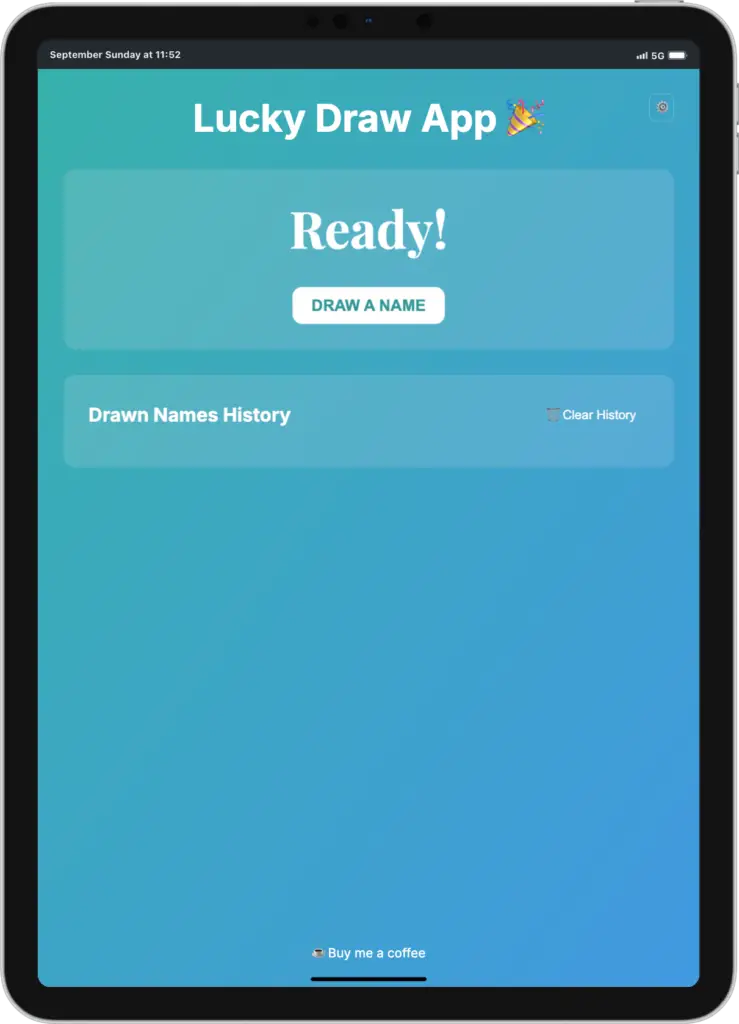
The heart of the app was a name-drawing feature.
I wanted the app to randomly select names from a list, which is ideal for deciding chores or simple office activities.
Settings and Customization:
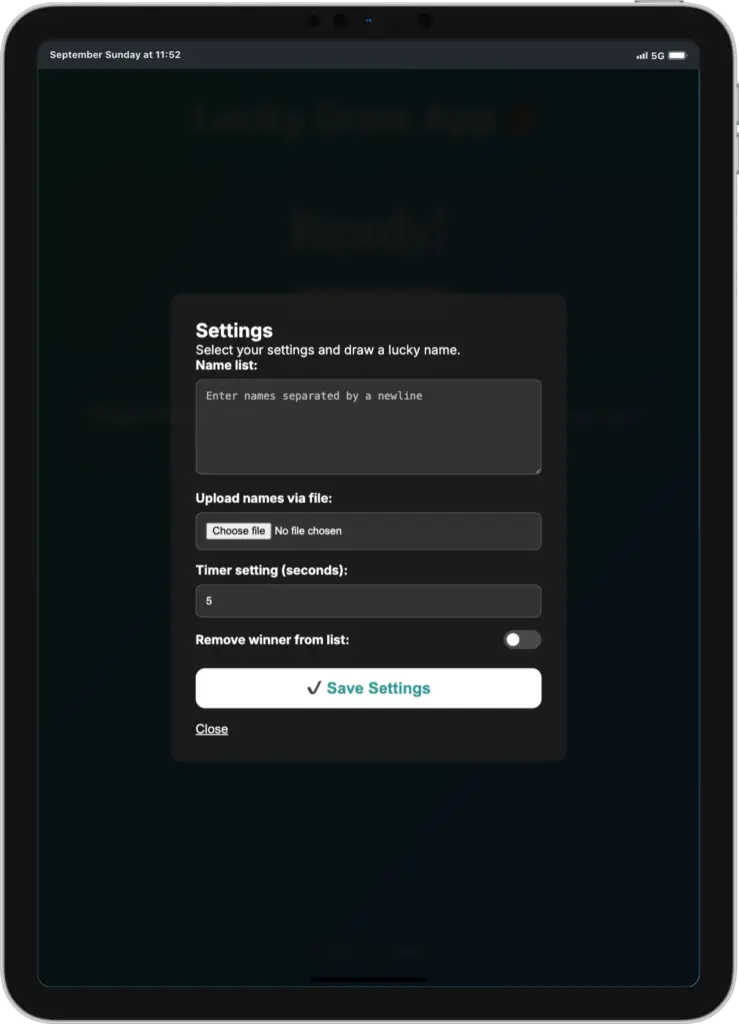
To make the app more versatile, I included a settings panel where users could input names, set a timer, and even decide whether to remove the winner after each draw.
User Interface (UI):
Using prompting and v0 app ChatGPT o1 wrote the CSS, and styled the app to make it visually appealing, adding playful fonts and background gradients to give it a light, fun feel.
Confetti Animation:
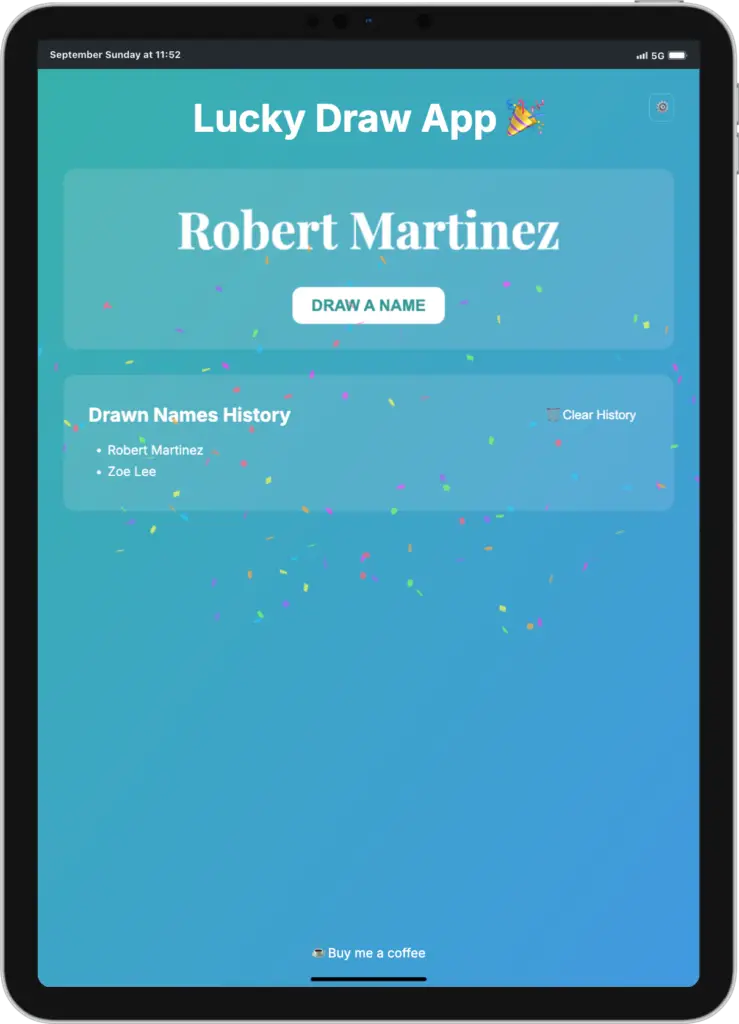
For added excitement, I added confetti animations to celebrate each draw, using a simple third-party library.
This added a fun element to the experience.
Testing and Iteration:
With every update, I iterated on the code by prompting ChatGPT to fix bugs or add new features.
It took about 25 rounds of improvement before I arrived at a smooth and functional app.
Final Code Breakdown
The app consists of several key files:
- HTML (Structure)
- Main layout with a header, button for drawing names, and a settings panel.
- I used a simple, intuitive design, including space to display the drawn name and confetti celebration on a successful draw.
- CSS (Style)
- Custom font (Lilita One) to give the app a quirky, handwritten style.
- A gradient background for a modern look.
- Button styles that make the UI interactive and responsive.
- The app is mobile-responsive, ensuring it works on both desktop and mobile devices.
- JavaScript (Functionality)
- The drawing logic, which randomly picks a name from a user-inputted list.
- The settings panel, allowing customization of name lists, timers, and the option to remove the winner.
- Confetti animation to celebrate each draw in a fun and engaging way.
App Features
Here are the main features of the app:
- Random Name Picker: The core functionality, perfect for chore assignments or casual office use. Input a list of names, hit “Draw,” and let the app pick the lucky winner.
- Settings Panel:
- Input names directly into the settings.
- Set a timer for how long it takes to draw.
- Decide whether the winner should be removed from the list or stay in the pool.
- Confetti Celebration: A festive animation using the confetti.js library whenever a name is drawn.
- Responsive Design: Whether you’re on a mobile phone or desktop, the app adjusts to provide an easy and enjoyable experience.
The verdict – Can apps be built only by using prompting?
Absolutely.
This experiment proved that prompt programming can be a viable way to build fully functional applications without traditional coding skills.
Through tools like ChatGPT and platforms like Vercel, I was able to transform simple ideas into code, refining the app with each iteration.
It wasn’t always smooth—there were bugs, limitations, and constant tweaking required—but that’s part of the development process.
What’s amazing is that, with a bit of persistence and creativity, non-developers can bring their ideas to life through prompting.
Would I say prompt programming can replace developers entirely?
Not quite.
Complex projects will still need the expertise of seasoned developers, but for simpler, creative apps like this one?
Yes, prompt programming is more than enough.
In the end, not only did I create a fun and functional app for the office and home, but I also proved that technology is increasingly accessible to everyone.
With AI tools and a bit of patience, anyone can build something great.
Building this app using prompt programming was a rewarding journey.
Not only did it show me that it’s possible for non-developers to create functional apps, but it also resulted in a practical tool I can use at home and in the office.
What should be my next experiment?